

Discover the Creativity of the Future: Use 3D Printing to Bring Your Ideas to Life
Suite 20-01 & 20-02B, Level 20 The Pinnacle, Persiaran Lagoon, Bandar Sunway, 47500 Subang Jaya, Selangor, Malaysia
hello@custommetal3dprinting.com
+60 124838830
Ceramics 3D printing is becoming an emerging field in the design, art, and manufacturing industries. From pottery art to home appliances or architectural structures, ceramic 3D printing offers a variety of possibilities that continue to push the frontier of creativity and innovation. However, despite the benefits of 3D printing technology in ceramic manufacturing, many people are yet to understand or determine how long it takes to 3D print ceramics.
Table of Contents:
To answer the question: How long does it take to 3D print ceramics? The time needed largely depends on multiple aspects, such as the model size, layer height, infill percentage, printer speed, and material. For instance, it would take only a few hours to print a small ceramic cup compared to a large ceramic sculpture that would require more than a day to complete.
In this article, we will go through the factors that affect the time needed for Ceramics 3D Printing. Additionally, we will review several examples that demonstrate ceramic 3D printing time. We will also go through a few tips that can help you accelerate the printing process while maintaining the quality of the ceramic materials. Finally, we will also go through some of the best printers and materials that we offer to produce ceramic prints with high precision.
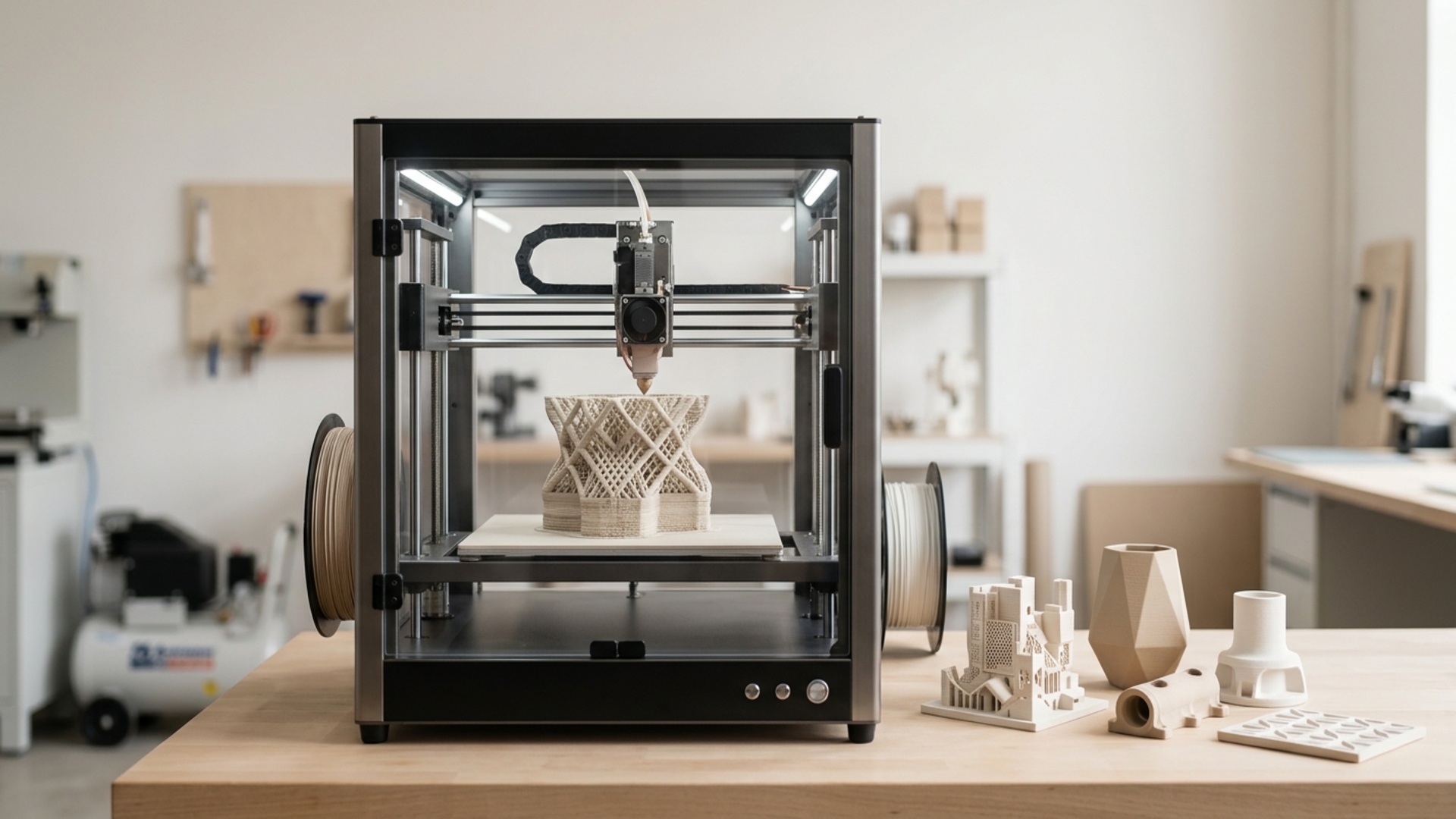
The answer to the frequently asked question, How long does it take to 3D print ceramics depends on several factors, such as the ceramic model, layer height, infill, printer speed, and material. On average, the time to 3D print ceramics ranges from a few hours to days, depending on the ceramic model size.
For example, the average 3D printing time for ceramic cups, bowls, figurines, and vases ranges from 1 to 8 hours. Additionally, it would take more than 10 hours to 3D print large-scale ceramic models, such as sculptures and tile panels.
The average 3D printing time for different ceramic models using our printers is as follows:
With our high-speed 3D printers, such as K2 Plus Combo and K1 series, you can produce ceramic prints with fine details in less time.
When asking the question, How long does it take to 3D print ceramics? It is important to consider the following eight factors:
Generally, larger ceramic models take a longer time to print. Therefore, the size of the 3D printed ceramic determines the required printing time depending on the printer’s printing volume. For example, a simple small cube printed using clay filament can take only 30 minutes to print, whereas a ceramic vase can take more than 12 hours to print.
The layer height determines the resolution of the 3D printed ceramic model. For higher resolution (thinner layers), the 3D printing process is slower. For instance, printing at 0.1 mm takes a longer time than printing at 0.2 mm layer height. Using our K2 Plus Combo, you can print ceramic models with ultra-high resolution.
In general, higher infill density means stronger and heavier 3D printed ceramic models. However, it would also take a longer time to print a ceramic model with higher infill density. For example, a 20% infill density is suitable for most decorative ceramic prints. At the same time, a 100% infill density is appropriate for functional ceramic prints.
A higher print speed_shortens the time required for 3D printing. However, the print speed also determines the quality of the final print. For instance, using our K1 Series, you can achieve a good balance between print speed and print quality for Ceramic Resin 3D Printing.
Increasing the shell thickness makes the final print stronger but adds to the printing time.
When printing complex ceramic prints, it may be necessary to add support structures, which also extend the printing time.
The type of filament also affects the rate at which the printed ceramic model cools down, which ultimately affects the printing speed. For example, using our high-speed PLA+ filament can help you achieve faster print speeds while maintaining good print quality.
Different 3D printers have different printing speeds and performance, which also affect the ceramic model printing time. For example, Resin 3D printers can print small ceramic models faster than FDM printers. At the same time, FDM printers are more appropriate for printing larger ceramic models. Additionally, our K1 Max is a high-performance 3D printer that is suitable for printing complex large-scale ceramic models with high precision.
You can estimate the 3D printing time for ceramics using various slicing software, such as our slicing software. Some of the best 3D printing software comes with built-in print time estimation features that help you estimate the time required to print a given ceramic model based on the set printing parameters.
For example, with our slicing software, you can upload STL files and preview the duration needed to print a given ceramic model. The process is quite simple and works as follows:
Make sure that the uploaded STL file is appropriate for the selected printer. If the STL file has some infill details not compatible with the printer software, you can modify them before proceeding to the next step.
After importing the STL file, you can adjust multiple printing settings, such as layer height, infill pattern, printing speed, and others.
Once you finish modifying the printing settings, the software will automatically estimate the printing time based on the set printing parameters.
When searching for an answer to the frequently asked question, How to speed up ceramic printing without losing quality?, there are several approaches that can help you achieve faster printing while maintaining the quality of the 3D printed ceramic model. Some of the approaches include:
Reducing infill density will significantly reduce the amount of infill, thus shortening the printing time. For example, reducing infill density from 40% to 20% can help you reduce the 3D printing time by about 30%.
Increasing the layer height from 0.1 to 0.2 mm can also help you achieve faster printing while maintaining good print quality. For instance, a 0.1 mm ceramic model that takes 6 hours to print can only take 3 or 4 hours to print at 0.2 mm layer height.
Draft mode allows you to print faster prints that are suitable for prototyping before investing time and resources in printing a full ceramic model with high resolution.
Printing the model in a different orientation can also help you achieve faster printing without losing print quality.
Upgrading to a higher-performance printer can help you achieve faster printing speeds, thus reducing the overall printing time. For instance, our K1 and K1 Max provide faster printing speeds, resulting in shorter printing times while maintaining good ceramic print quality.
By using these approaches to speed up ceramic printing without losing quality, you can significantly reduce the printing time for your 3D Ceramic Printing projects.
The following are some real-world examples of ceramic 3D printing time using our printers:
How long does it take to 3D print ceramics? The time needed to 3D print ceramics largely depends on factors such as model size, layer height, infill percentage, print speed, and material. For instance, a small ceramic cup can take only 1 hour to print, whereas a large sculpture can take more than 24 hours to print. Additionally, you can also use multiple approaches to reduce the ceramic printing time, such as reducing infill density, increasing the layer height, using a higher-performance printer, and others. Finally, you should consider using our advanced 3D printers and ceramic filaments that allow you to achieve high print resolution in a short time. If you need further assistance with your ceramic 3D printing requirements, reach out with our team.
